Yes,
Sound and light options can be changed.
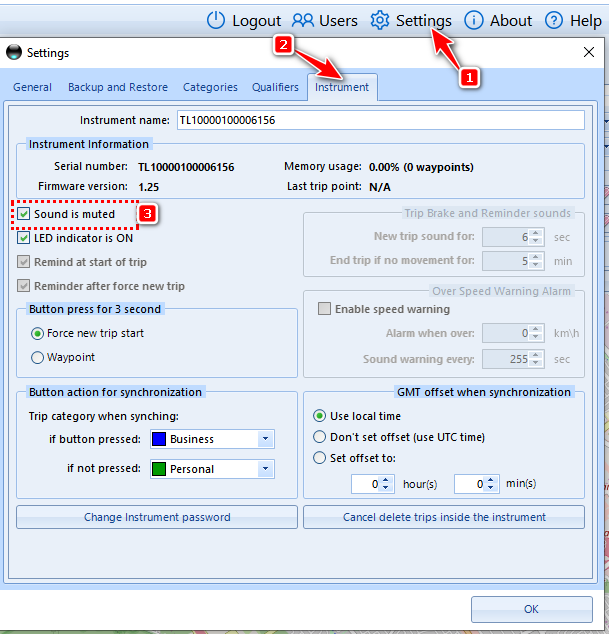
1) Connect your logger to the computer
2) Once it is detected, click on Settings
3) Select the instrument Tab
4) Check the Sound is muted
5) to deactivate the LED uncheck LED indicator is ON
Note : If you need to be reminded to press the button before every trip, do not disable the sound
Was this article helpful?
That’s Great!
Thank you for your feedback
Sorry! We couldn't be helpful
Thank you for your feedback
Feedback sent
We appreciate your effort and will try to fix the article