Do not worry !
it should be in the Recycle Bin of the Manager.
To restore the trip:
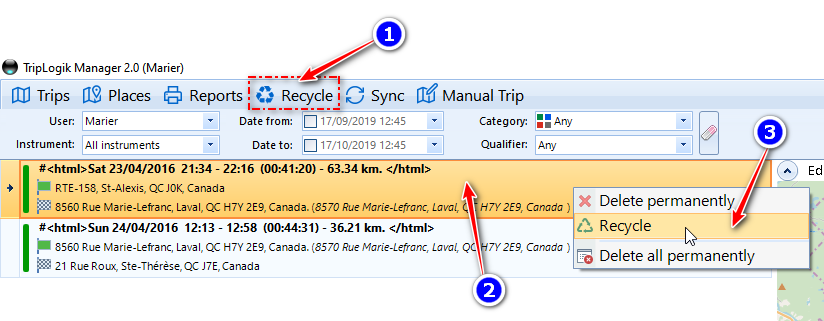
- Click on Recycle (if you can't see the Recycle Bin tab, click View and check Recycle Bin),
- Scroll down to find the deleted trip
- Right click on the trip you want to restore and select "Recycle".
Was this article helpful?
That’s Great!
Thank you for your feedback
Sorry! We couldn't be helpful
Thank you for your feedback
Feedback sent
We appreciate your effort and will try to fix the article