This function must be set before the first use in the car
It cannot be change again later
It must be set while there is no data in the instrument
You need:
Your TL1000 instrument
The computer with the Manager Software
- Plug in your instrument
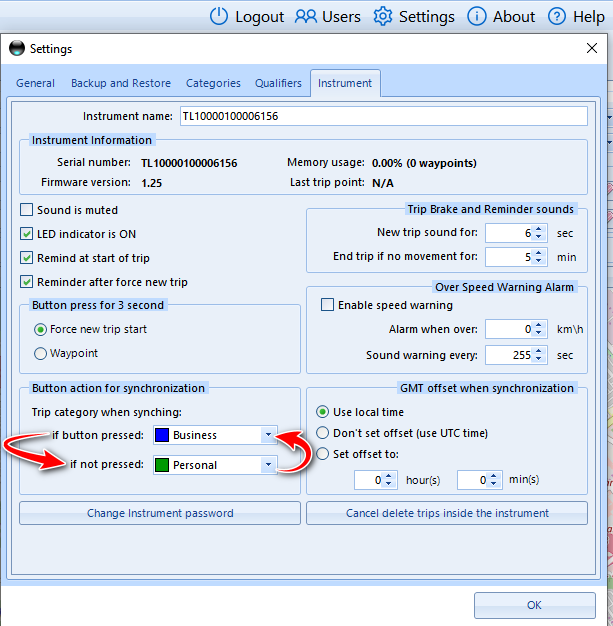
- Click the Settings menu and select the instrument tab
- Reverse the settings in the Button action for Synchronizing
Was this article helpful?
That’s Great!
Thank you for your feedback
Sorry! We couldn't be helpful
Thank you for your feedback
Feedback sent
We appreciate your effort and will try to fix the article