Trips made in 2026 will not appear in your trip list. You need to download a special update patch from the link below.
If you are not using version 2.1462.3 , please update to this version first.
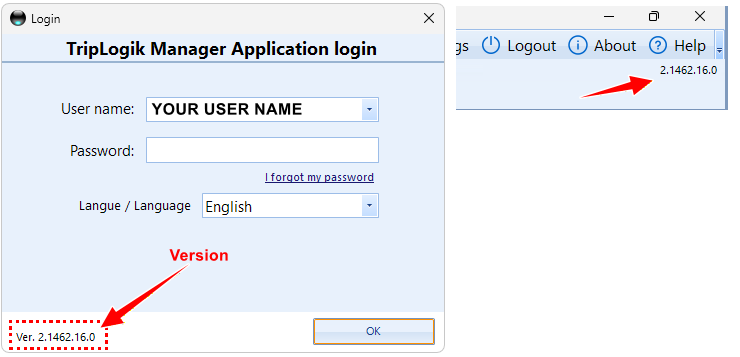
If you are not certain of your current version, open the manager , and the version is in the login menu
or the top right in the manager screen.
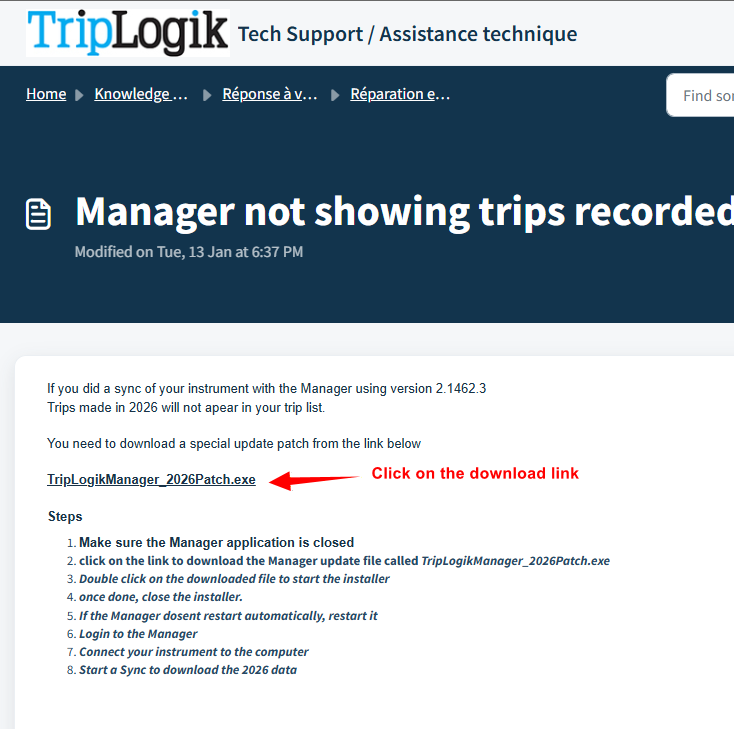
TripLogikManager_2026Patch.exe
Please read the instruction below as there are important info
- Verify that the current version is 2.1462.3 (see note above).
- Make sure the Manager application is closed
- click on the link to download the Manager update file called TripLogikManager_2026Patch.exe
- Double click on the downloaded file to start the installer
- Once done, close the installer.
- If the Manager doesn’t restart automatically, restart it
- Verify that the version is 2.1462.16.0. If not, please refer to the section “If the installation does not seem to work.”
- Login to the Manager
- Connect your instrument to the computer
- Start a Sync to download the 2026 data
NOTE to users who already did a sync in 2026
IF YOU DID A SYNC IN 2026 WITH TRIPS MADE IN 2026
If you have already done a sync in 2026 . After this update, please restart a new sync with your instrument in order to update the 2026 trips.
IF YOU DID NOT SYNC IN 2026
If you did not do a sync in 2026 yet. Please update the Manager immediately.
The 2026 trips will be sync next time you do your monthly sync.
STEP BY STEP INSTRUCTIONS
Step 1: click on the link to download the Manager update file called TripLogikManager_2026Patch.exe
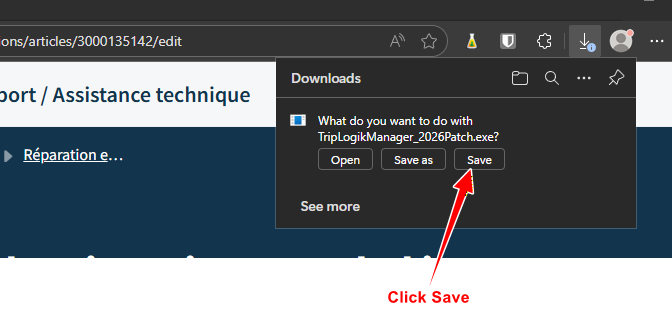
Step 2 Click to save the file to your download folder
WARNING: Some corporate PCs are restricted from installing software or updates.
If you experience any issues with downloading or installing the update, please contact your IT department.
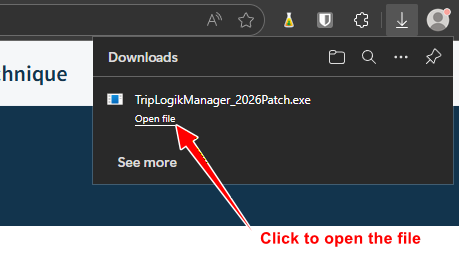
Step 3 Click on Open file
Step 4 install the update
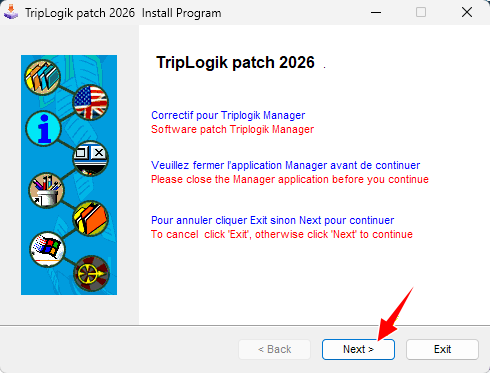
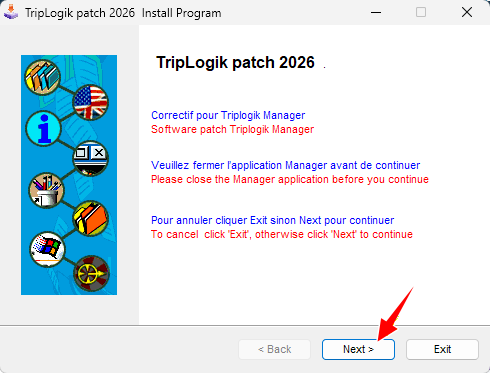
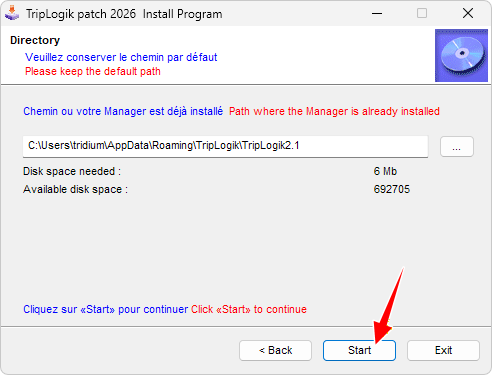
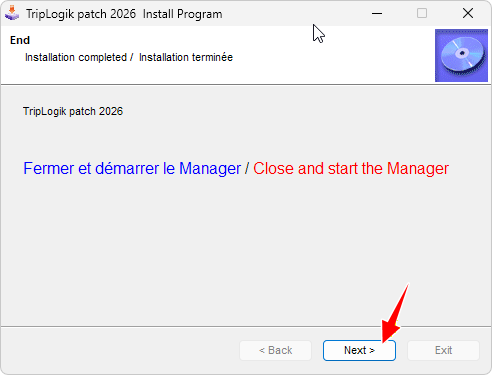
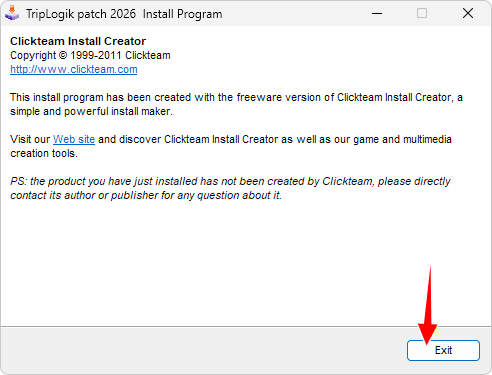
The update is completed
Once the installer is completed, the Manager will start ( wait a minute and it should start, otherwise start it )
Check the version in the login screen. It should be 2.1462.16.0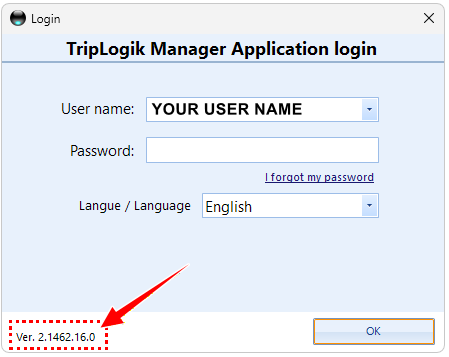
If the installation does not seem to work
it's possible that your version of the Manager is a non-compliant upgrade or an older version.
Please download the full install Manager using the following link -> Manager Installer 2.1462.3.0
Close the Manager (if it is open).
Start the installation using the file you have just downloaded.
Repeat the previous update procedure above (Step 4 install the update)
NOTE to users who already did a sync in 2026
IF YOU DID A SYNC IN 2026 WITH TRIPS MADE IN 2026
If you have already done a sync in 2026 . After this update, please restart a new sync with your instrument in order to update the 2026 trips.
IF YOU DID NOT SYNC IN 2026
If you did not do a sync in 2026 yet. Please update the Manager immediately.
The 2026 trips will be sync next time you do your monthly sync.
Was this article helpful?
That’s Great!
Thank you for your feedback
Sorry! We couldn't be helpful
Thank you for your feedback
Feedback sent
We appreciate your effort and will try to fix the article