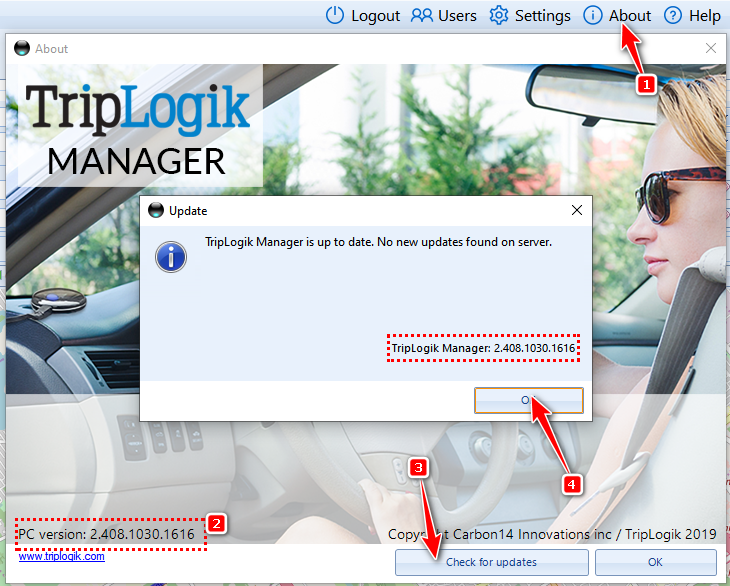
- Click on the About Menu
- The current version will show in the left bottom
- Click to check for updates
- If there is and update or not, a windows will indicate it
- click OK to close or update the Manager
We strongly suggest you update as we always improve the Manager
Was this article helpful?
That’s Great!
Thank you for your feedback
Sorry! We couldn't be helpful
Thank you for your feedback
Feedback sent
We appreciate your effort and will try to fix the article