Changing the Email Address of a TripLogik Account
Important Notice — Administrator Account
The main administrator account in TripLogik Manager is directly linked to your TripLogik Server (TripLogik Map) account.
Changing the email address of this account can have serious consequences, including:
Loss of access to TripLogik Manager
Inability for other users to log in
In small group or single-PC configurations, users who rely on the master account may no longer be able to authenticate
⚠️ Only proceed if you fully understand the impact.
When Is It Safe to Change the Email Address?
You may safely change the email address if:
You are a single user with one or multiple instruments
You have single user with local users under your account (non-server users)
You are not managing a shared master account used by other PCs
Procedure: Change Email Address
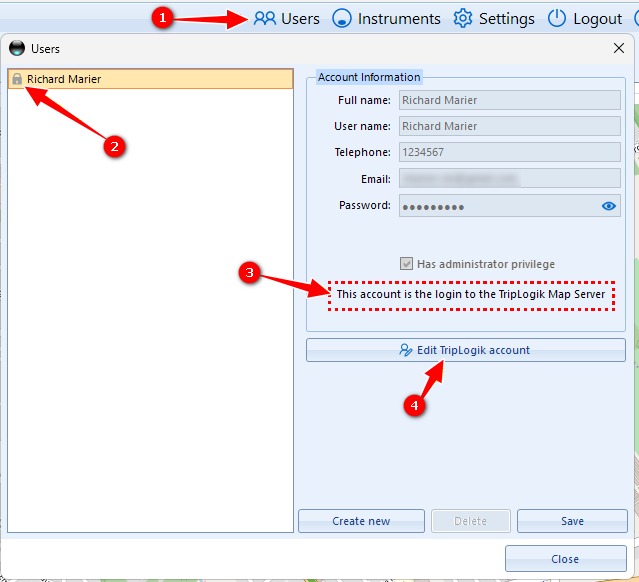
Open TripLogik Manager
Click on the Users menu
Select the user with a lock icon
Confirm that this user is the TripLogik Map server login
Click Edit TripLogik Account
Update Email Address
5. Enter the new email address in Emailand Re-enter it in Confirm Email
6. Click Apply Changes
⚠️ Do NOT close this window. Read the confirmation note carefully.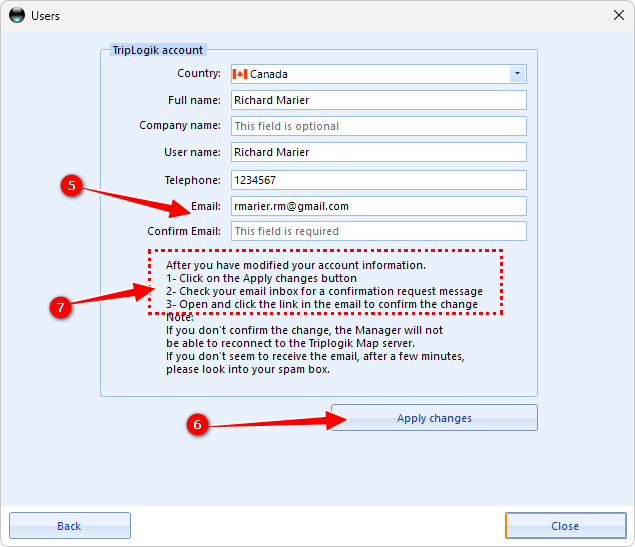
Email Confirmation Required
Check the new email address
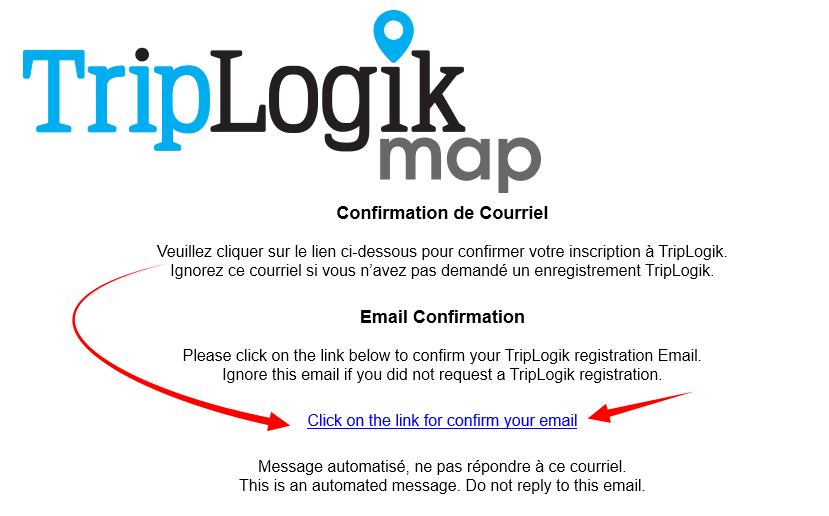
You will receive a confirmation email from the TripLogik Server
Open and click the confirmation link in the email
Once confirmed, you may safely close the window
WARNING , IF YOU DON’T CONFIRM , you will be locked out of the Manager
Please look into your spam.
Our server is registered as a trusted server and email are usually received within a minute.
Was this article helpful?
That’s Great!
Thank you for your feedback
Sorry! We couldn't be helpful
Thank you for your feedback
Feedback sent
We appreciate your effort and will try to fix the article